Microsoft Outlook 2010 Will Make Social Media Mainstream
This content from: Duct Tape Marketing

For many readers of this blog social media is mainstream, but I travel the highways and byways of this country and experience first hand in my workshops and presentations the amount of folks that “just don’t get” social media. I think they’ve heard the hype and know they should get it, but it still feels a bit foreign and geeky at best and downright silly at worst.
 Microsoft Office 2010, in beta release now, may change the game on social media and turn participation into email plumbing. The MS Outlook 2010 blog reveals the new features that led me to this conclusion. (Although in stunningly Microsoft fashion the first bit of info on the page deals with a crash report update.)
Here’s the deal – depending upon who you ask, Microsoft Outlook, including Exchange, powers somewhere around 65% of enterprise email and probably more than that when it comes to the small business desktop. GMail and other SaaS tools have begun to eat away at this margin, but many a computer user sees the Internet through the eyes of MS Outlook. This post isn’t a plug for MS Office, I haven’t downloaded or tested the new version yet, it’s simply an explanation of the impact I see this new release ultimately having.
In November 2009, Microsoft announced both the beta of Microsoft Office 2010 as well as the Outlook Social Connector. The Outlook Social Connector brings together communications history, contact information, and professional and social networking information into the Outlook experience.
As of today, the beta release includes connection plans that give users the ability to add LinkedIn, Facebook and MySpace interaction, giving every Outlook user the ability to enjoy the benefits of social media without any effort. This will get millions hooked and participating as simply a form of enhanced email – social media participation will become email plumbing and that will make it ubiquitous.
Here’s a list of activities, from MS site, that you can do inside Outlook 2010 when it comes to LinkedIn for Outlook
- Connect to your LinkedIn account to view your colleagues’ status updates and photos next to an e-mail message they sent you.
- Your colleagues’ latest contact information from LinkedIn automatically updates his or her Outlook contact. Whenever someone changes a phone number, e-mail address, or other contact details, it’s automatically updated in Outlook — you are always up to date.
- Synchronize your mobile phone with Outlook to stay up-to-date — you don’t have to worry about keeping track of new phone numbers and contact info — contacts’ information from the Web is synchronized to your mobile phone.
- Grow your professional network directly from within your Inbox — add colleagues with one click.
I’ve been preaching the merits of hacking together this kind of integration in your social media system for some time, but now anyone, whether they want to or not, will almost automatically have is handed to them. Combine this with Office 2010 Web Services version in the cloud and Office for Mac 2011 to include Outlook and you may see Microsoft regain some footing.
To recap, here is what you can do today to get started with the Outlook Social Connector.
- Download the Office 2010 Beta at www.Office.com/beta
- Update to the latest version of the Outlook Social Connector using the instructions on the Microsoft Download Center.
- Get the LinkedIn download for the Outlook Social Connector at www.LinkedIn.com/outlook.
Related Posts:
Like this post? Share it with others


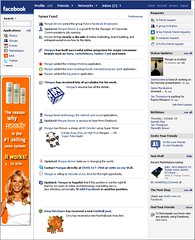
 The first thing you must do is decide whether you want people to be directed to your own web page or something on Facebook like a Page, Application, Group or Event. If you are already the administrator of your Facebook Page, Group, Event, or Application, you can select it from the drop down option. The thing that’s nice about using ads to promote your pages and events is that Facebook puts a “Become a fan” or “RSVP to this event” button right in the ad. People don’t even have to visit your page to take action. There are some pros to sending them to a link on your web site (better tracking options) but by sending them to assets on Facebook you have the ability to multiply their actions through the natural social wall activity that occurs when someone RSVPs to an event. (All their followers automatically see that action.)
 Facebook Insights is a nice reporting tool as it can give you information about the actual, not targeted demographics and interests of the people clicking on your ads and keywords that drew that interest. This will help you narrow or broaden your targeting. Page admins can access Insights by logging in and viewing the box titled Insights in the left sidebar. This is only visible to Page admins. If you click on See All you will get full reporting. More information on
  Between Twitter, Facebook, and Google's new social networking tool, Buzz, it's hard to turn a corner without running into another social network. But how do you know which networking tool fits you best? We're here—with big charts and all—to help.

 What's easy to like about
  Whatever we write about Buzz will be slightly inaccurate in a week's time, most likely.